
Blog
Manual Testing for the DevOps Age


Blog
Manual Testing for the DevOps Age





The buzz around the need for automated testing in a DevOps age often causes discussions about manual testing to take a backseat. Unquestionably, automated testing can help in eliminating human error, improving quality and timeliness of delivery, as well as pave the way for long-term scalability. But at the same time, manual testing continues to hold immense importance due to its numerous strong, innate characteristics.
The Manual Testing Imperative in an Era of Automation
Despite the capability of manual testing in ensuring the product or application works according to the requirement, due to all the hullabaloo around automated testing, manual testing efforts are either minimized or completely abolished. But that should not be the case. Here’s what makes manual testing important, even in an era of automation:
- Unlike its automated counterpart, manual testing is fairly easy to implement. All testers have to do is create a simple test plan, write the test cases, execute them, and report bugs for quick action.
- When it comes to testing MVPs, manual testing requires considerably less time to deliver results. Using manual testing, organizations can quickly test the significant features of MVPs and bring them sooner to the market.
- Manual testing allows the product to be tested from different perspectives. Since it requires humans to manually prepare test cases, they can test the product for innumerable features and capabilities in light of many user scenarios.
- Manual testing also makes allowances for human intuition; testers can observe, judge, and also use their gut while testing the product or application for user-friendliness or experience.
- Lastly, manual testing is apt for applications with a short shelf life. Instead of spending time choosing an automation tool, creating test cases, and implementing the automation script, teams can use their analytical skills and creativity to quickly test the product and bring it to life.
When to Choose Manual Testing Over Automated Testing
Manual testing and automated testing both offer a distinct set of benefits for DevOps teams. But deciding which testing approach to take for which type of product can be challenging. Here’s when you may want to choose manual testing over automated testing:
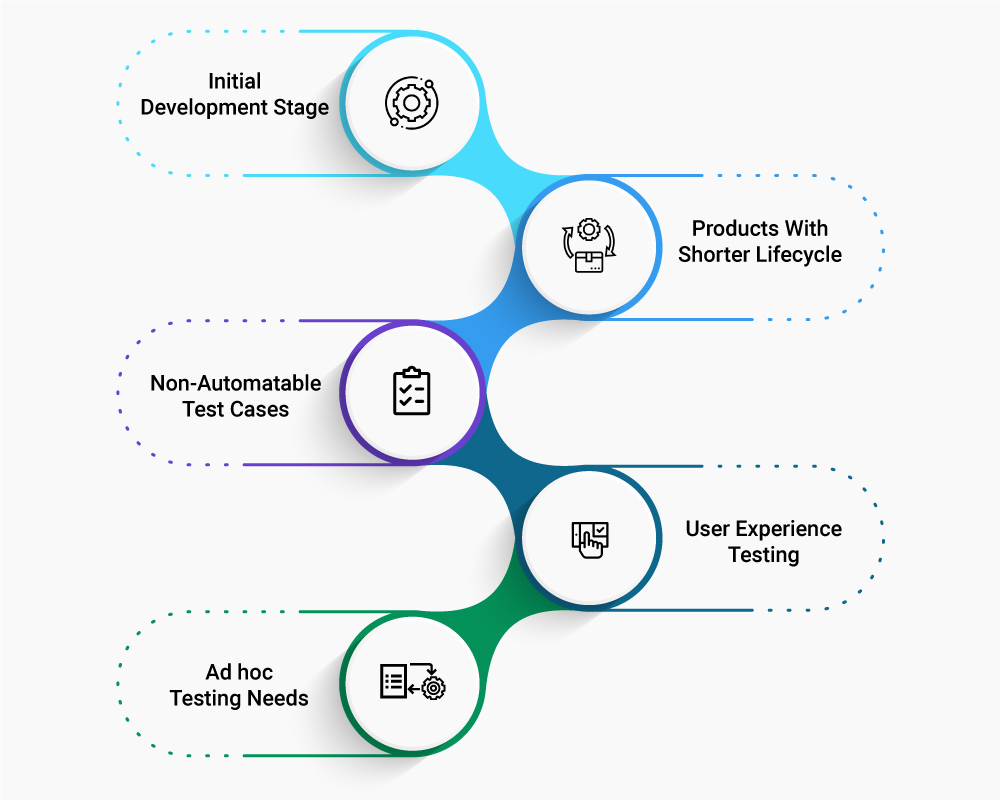
- Initial Development Stage: When the project is in the initial stages, manual testing allows developers who wrote the code to test individual units and components of the product along with a team of testers. It allows them to validate if each unit of the code performs as expected before being integrated into other components as the project progresses.
- This is also the stage where you can rely on manual testing, i.e. the judgment of the testers, to know if the product does what it is supposed to. At this stage, of course, this is a different judgment call from validating if the code does what it was designed to do. The first is a validation of the utility of the product or the feature, the latter of implementation quality.
- Products With Shorter Lifecycle: For products with short lifecycles, automated testing can get too time-consuming and expensive; not only do testers need to pay for automation tools, they will also incur high costs of writing scripts as well as need time to set up the test environment. In such cases, manual testing allows for testing to be done quickly and efficiently – and in a cost-effective manner.
- Ad hoc Testing Needs: Manual testing is ideal when ad hoc, unplanned testing needs to be performed. Since such testing doesn’t need a lead-in or a pre-determined or specific approach, testers can carry out random checking of features to spot bugs and defects.
- User Experience Testing: Automation tools can find differences at the pixel level but they are expensive. When it comes to testing the product for user experience, opting for manual testing is beneficial. In manual testing, testers can make testing decisions based on their own experience of the look and feel of the product. By using the product themselves, they can more easily identify issues and carry out testing from the end user’s perspective.
- Non-Automatable Test Cases: In situations where test cases are not automatable or where runtime functionality of certain components is constantly changing, it makes more sense to use manual testing over automation testing. Manual testing allows testers to quickly set up test cases of their choice and run them as necessitated by the current scenario.
How Organizations Can Derive Best Results From Manual Testing
If you are looking for the best results from your manual testing efforts, it is important to embrace some key best practices. Here are some tips:
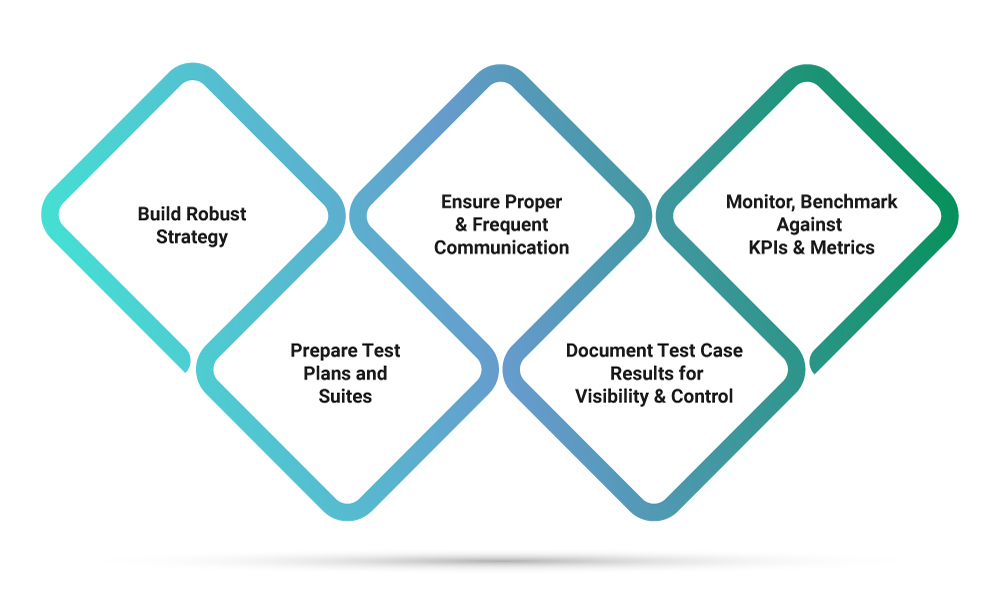
- Build a Robust Test Strategy: The foundation of successful testing is a robust test strategy. The right approach to manual testing can allow you to define your test scope, coverage, as well as test cases – in alignment with your larger product and business goals. With a robust test strategy and documentation in place, you will also be in a better position to get a clear picture of your test project as well as have a contingency plan in place when risks arise.
- Take Time to Prepare Your Test Plans and Suites: No matter the pressure of quickly bringing your product to the market, take time to prepare your test plans and suites. Document your test plans to keep track of possible tests that you will run on the system and constantly refer to it as a guide to ensure all functional and design requirements are tested as specified in the documentation.
- Ensure Proper and Frequent Communication: Irrespective of how big or small your team, ensure proper and frequent communication between different members. Such communication ensures everyone is aware of where the project currently is, what challenges are being faced as well as the roles and responsibilities of every member – so issues can be handled together as a team.
- Document Test Case Results for Visibility and Control: In addition to documenting test plans, make it a habit to also document test case results for better visibility, analysis, and control. Constant access to results can allow you to get a better idea of how your product is performing as well as what changes are required to be made to further enhance performance, functionality, and quality.
- Monitor and Benchmark Against KPIs and Metrics: Since manual testing carries an inherent degree of human error, monitoring and benchmarking testing activities against KPIs and performance metrics can allow you to gauge the efficiency and effectiveness of your overall testing process. KPIs around code coverage, defects found and fixed per day, active defects and more makes it easier to deal with critical issues on priority while bringing in the improvements needed into the product.
Most development teams today gravitate towards automated testing, often not realizing the intrinsic benefits manual testing can provide. Even as automated testing becomes more modern and sophisticated, manual testing allows testers to use their personal experience, creativity, and intuition to carry out tests and verify the usability, functionality, and UI of the product from an end user’s perspective.
Xoriant brings three decades of rigorous and disciplined approach in specialized digital quality assurance with a blend of both manual and automated testing. Our unique software engineering framework iAutomate tests web, mobile, desktop applications, API, and features. From UI, multi-browser/multi-environment testing to database connections, third-party integrations and regressions, iAutomate has reduced effort by 70%+ and our Mobile Test Suite has reduced run times up to 83%.
Add the X·FACTOR to your software engineering teams, improve quality assurance and time-to-market.
References
Manual Testing Vs Automation Testing in Software Testing
How to Improve Your Manual Testing Process


 View Previous Blog